Home » Resources » How-to Guides » Business Central Installation Guide
Business Central Installation Guide
Find Data8’s Business Central Installation Guide here to get started with your using Data8 for your addresses in the UK.
NOTE: Our integration hooks into the now defunct “getAddress.io” integration and acts as a direct replacement if required.
Step 1: Configure the URL & API Keys
- Search for “Postcode Configuration” using the search icon.
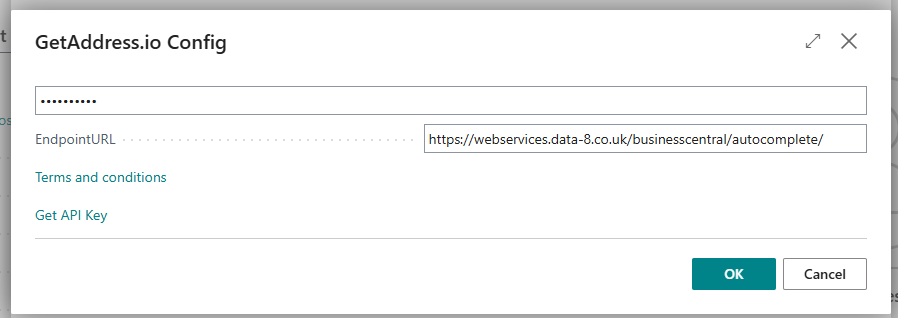
- Select the “Postcode Service Selection” page and choose “getAddress.io”
- Input your Data8 API key in the top box.
- Input
https://webservices.data-8.co.uk/businesscentral/autocomplete/into the URL box and press “OK”.
Step 2: Use Data8 for your Addressing
Simple as that! From here, any time you enter a postcode, or interact with any addressing, you will call the Data8 API, ensuring you only select correct addresses.
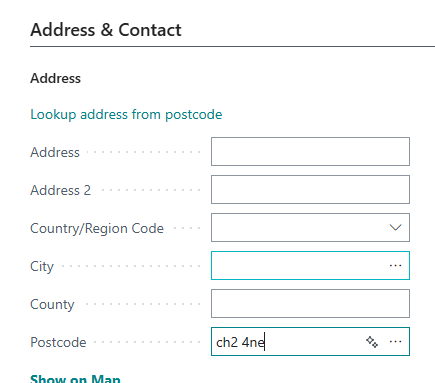
For example, if you enter “CH2 4NE” into the postcode like so:
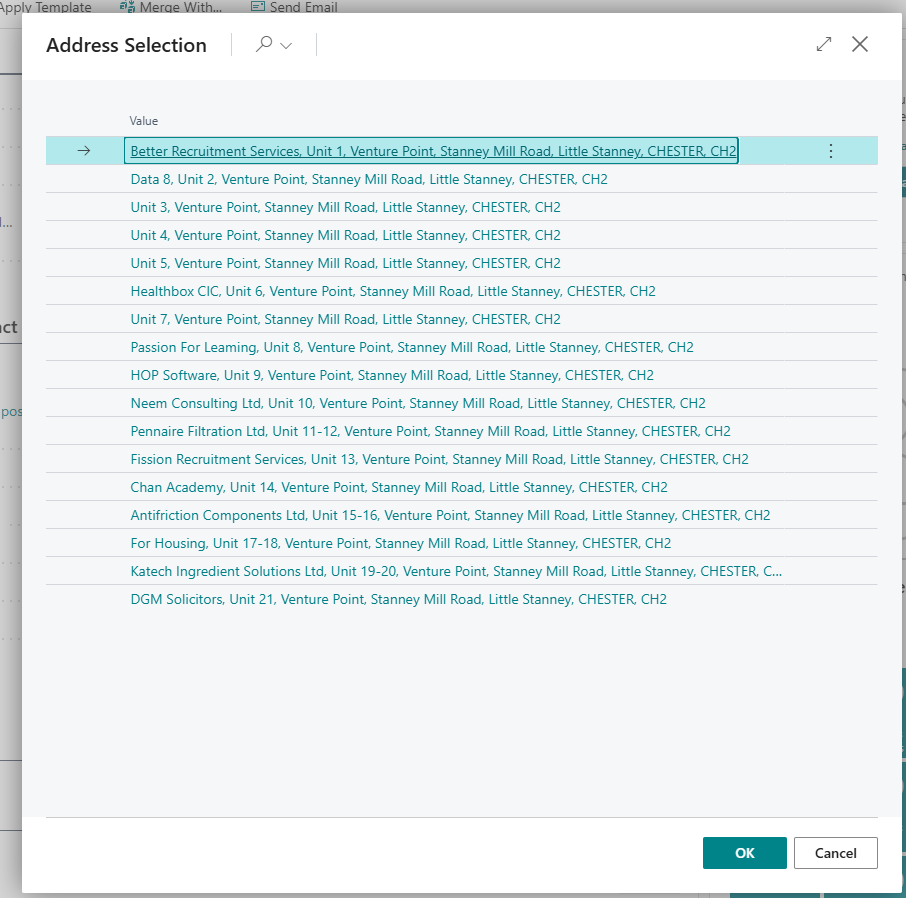
You see the following options
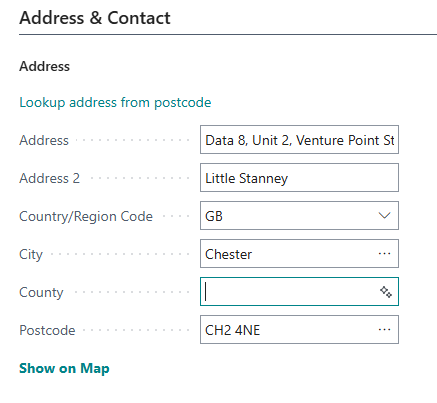
You can then select an address and it will auto populate the rest of the address.