We are pleased to announce an immediate solution for organisations requiring address validation and address lookup capabilities in Dynamics 365 Business Central. 

Configuration Guidelines

To implement Data8 address lookup solutions, please complete the following configuration:

Our integration hooks into the now defunct “getAddress.io” integration and acts as a direct replacement if required.

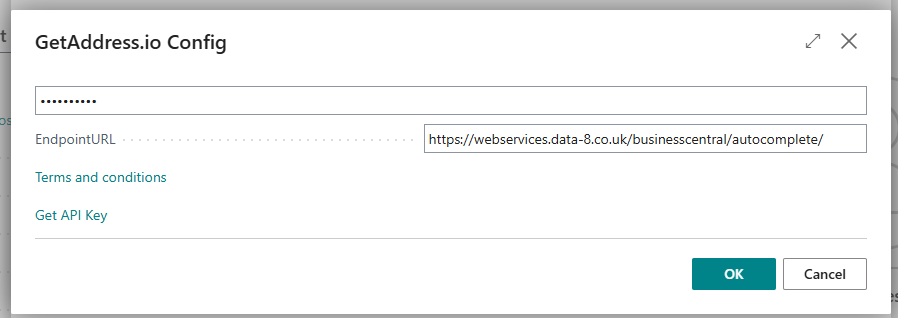
Step 1: Configure the URL & API Keys


  • Search for “Postcode Configuration” using the search icon.
  • Select the “Postcode Service Selection” page and choose “getAddress.io”
  • Input your Data8 API key in the top box.
  • Input https://webservices.data-8.co.uk/businesscentral/autocomplete/ into the URL box and press “OK”.

Step 2: Use Data8 for your Addressing


Simple as that! From here, any time you enter a postcode, or interact with any addressing, you will call the Data8 API, ensuring you only select correct addresses.

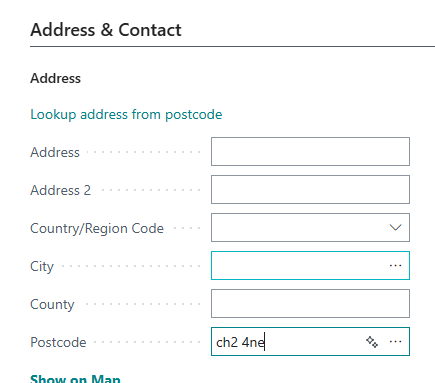
For example, if you enter “CH2 4NE” into the postcode like so:

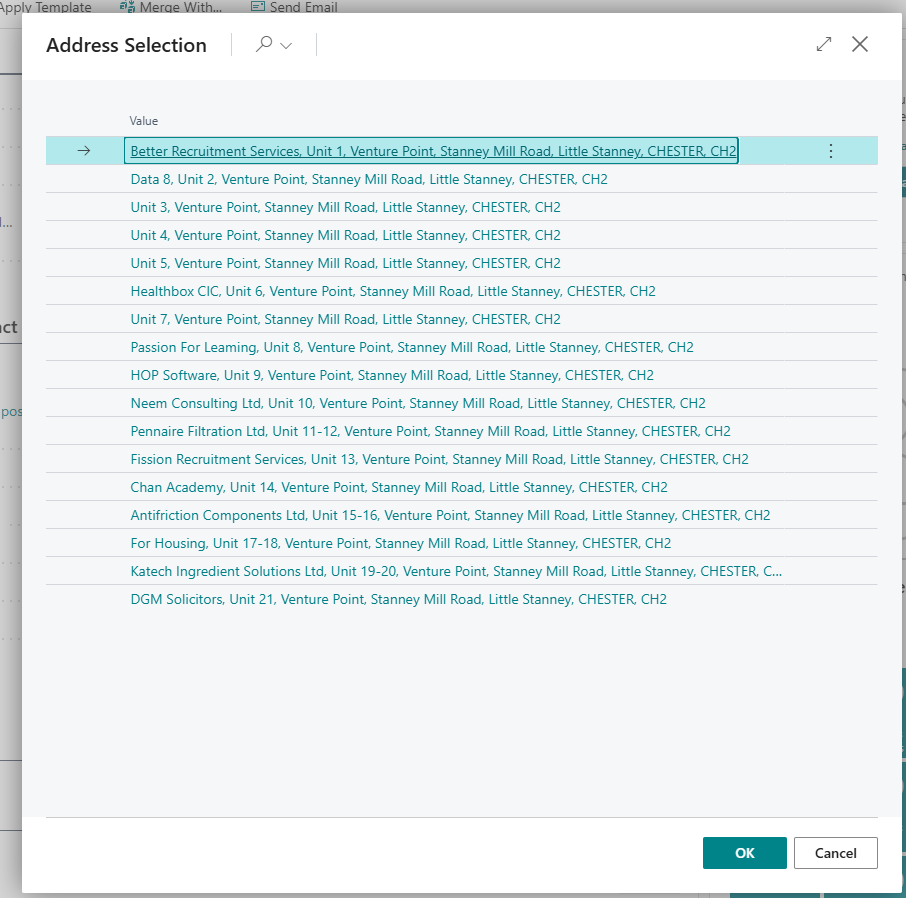
You Will See the Following Options

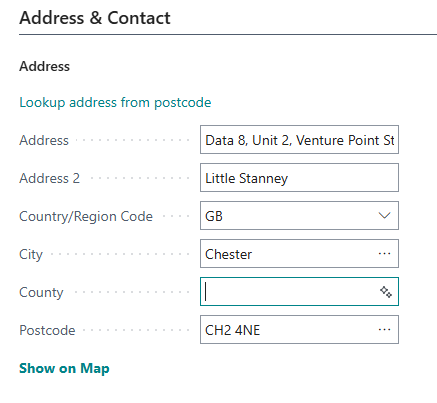
You can then select an address and it will auto populate the rest of the address.

Additional Support

Our dedicated technical support team is available to assist with any questions you may have. Contact us through live chat, the form below or email at [email protected] for expert guidance and support.

Join the Conversation

Receive the latest news, views and hot topics directly in your inbox! Sign up below

Follow us on social media

Data8
Privacy Overview

This website uses cookies so that we can provide you with the best user experience possible. Cookie information is stored in your browser and performs functions such as recognising you when you return to our website and helping our team to understand which sections of the website you find most interesting and useful.