How to Manage Users

This guide will provide step-by-step instructions for Account Administration and User Management in the Data8 Online Portal, specifically focusing on key processes for managing user access and roles.

Good user management is vital for ensuring secure, organised, and effective system use. This guide will cover three important aspects of user management:

1. Adding a New User

Understand the process for creating and onboarding new users to the system, ensuring they have the appropriate access levels.

2. Deactivating a User

Learn how to deactivate user accounts securely when access is no longer required, preventing unauthorised access.

3. Assigning Administrative Rights

Discover how to amend a user’s role to an administrator, ensuring they have the necessary permissions to manage other users and system settings.

By following this guide, system administrators will be able to maintain control over user access, ensuring security, compliance, and a well organised user environment.

Accessing the User Management Dashboard

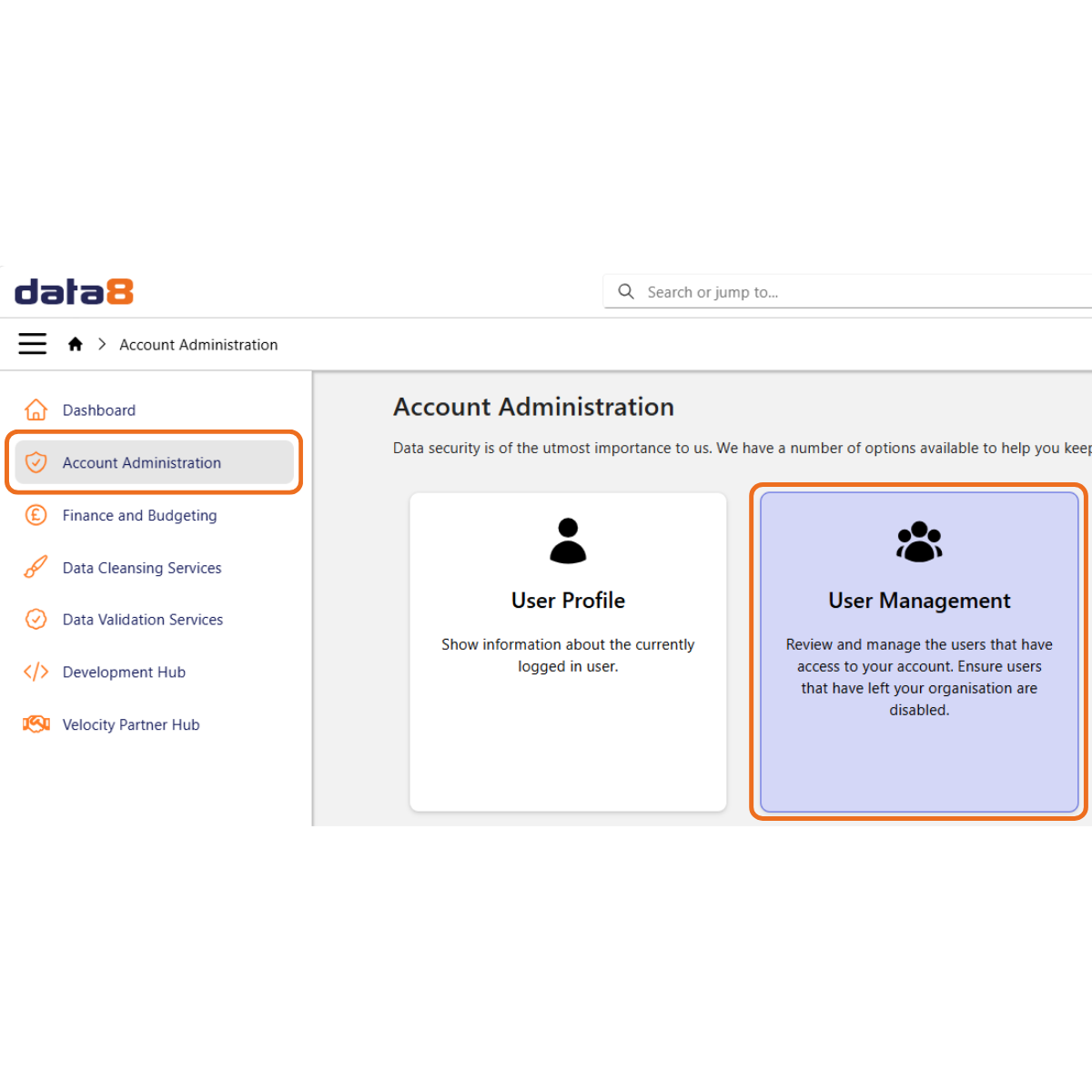
Click the Account Administration tab in the main menu to open the Account Management screen.

Click User Management to open the User Management screen.

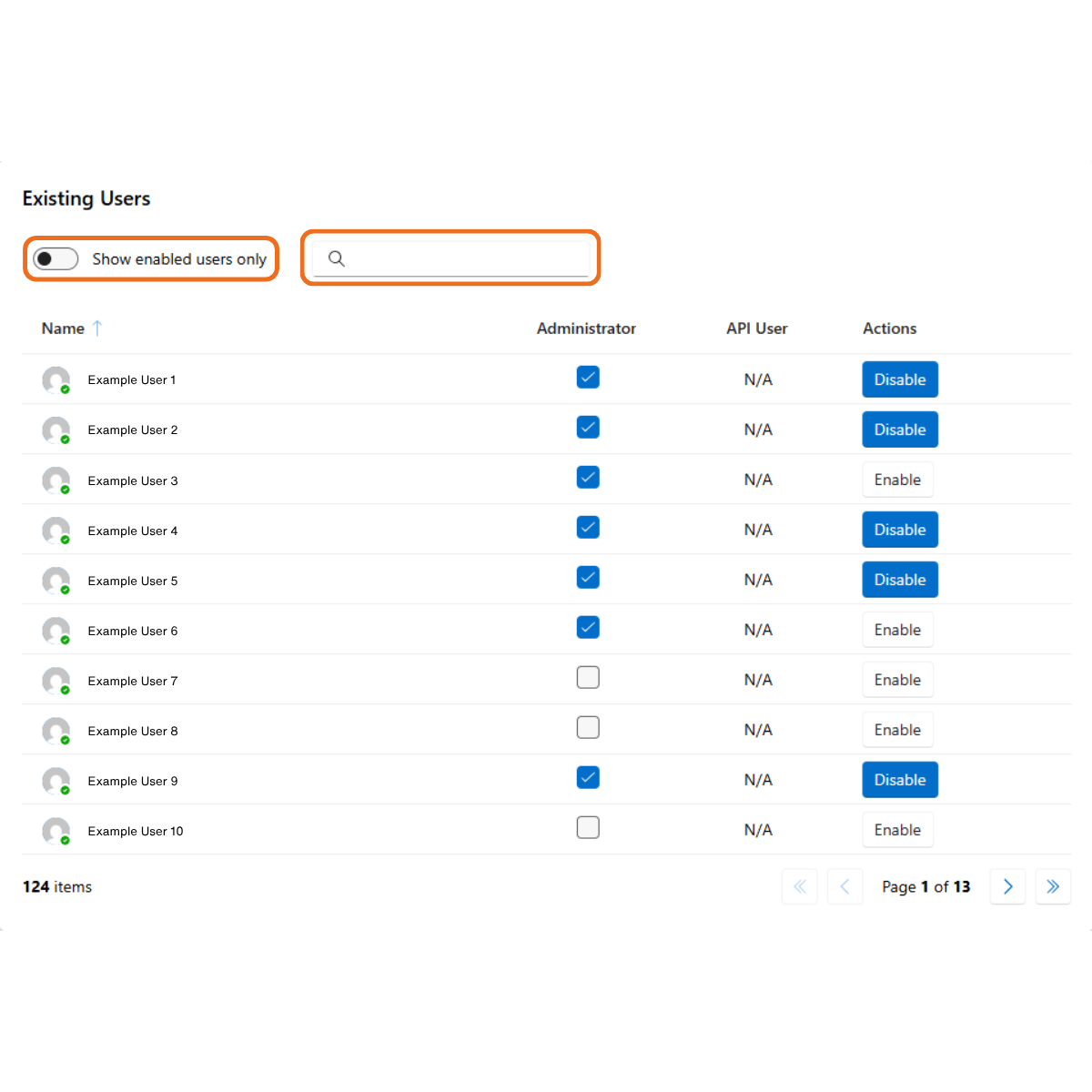
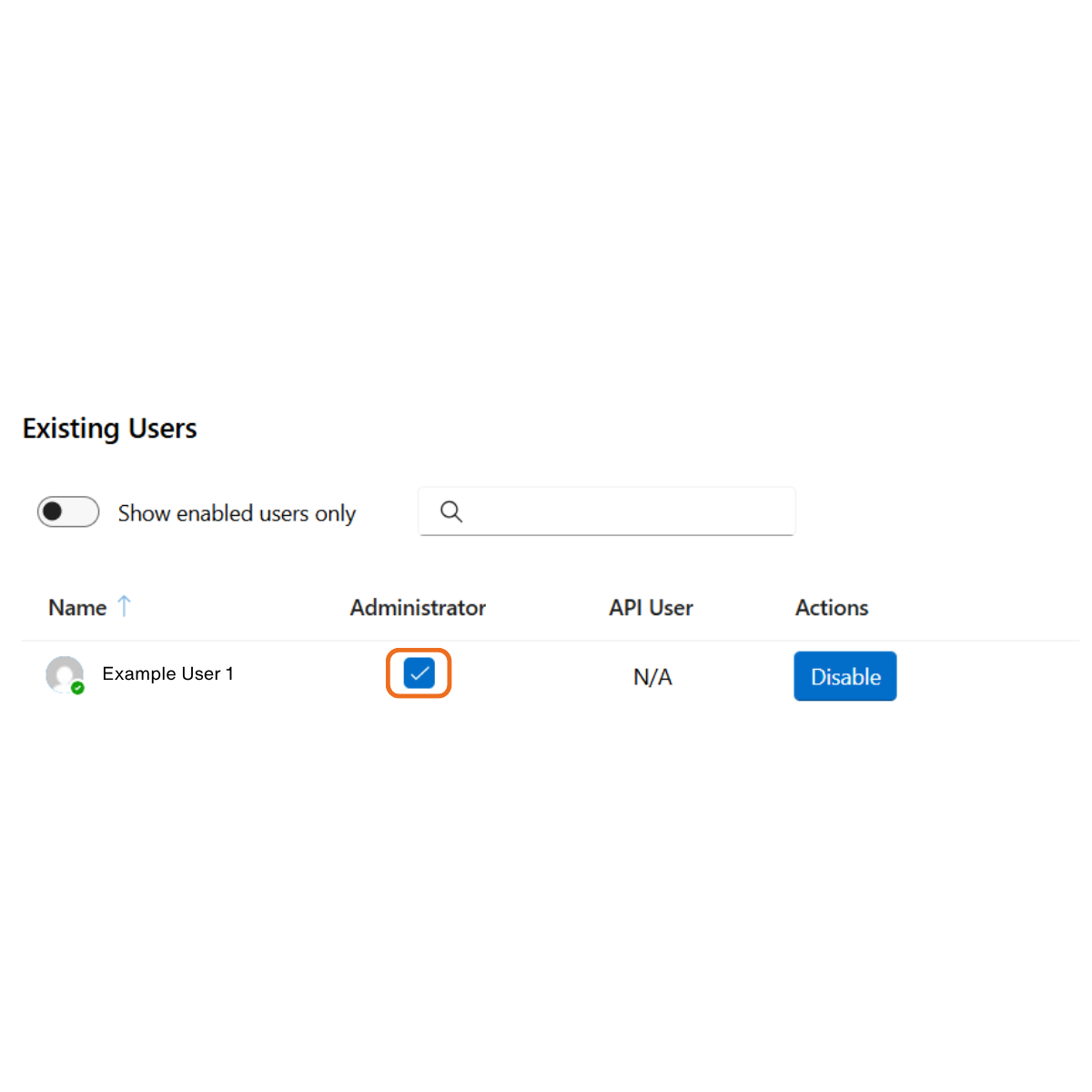
The User Management screen displays the Existing Users widget. 

There is a toggle button to select whether you want to view all users or only enabled users. 

There is also a search bar to find specific users. 

Adding a New User

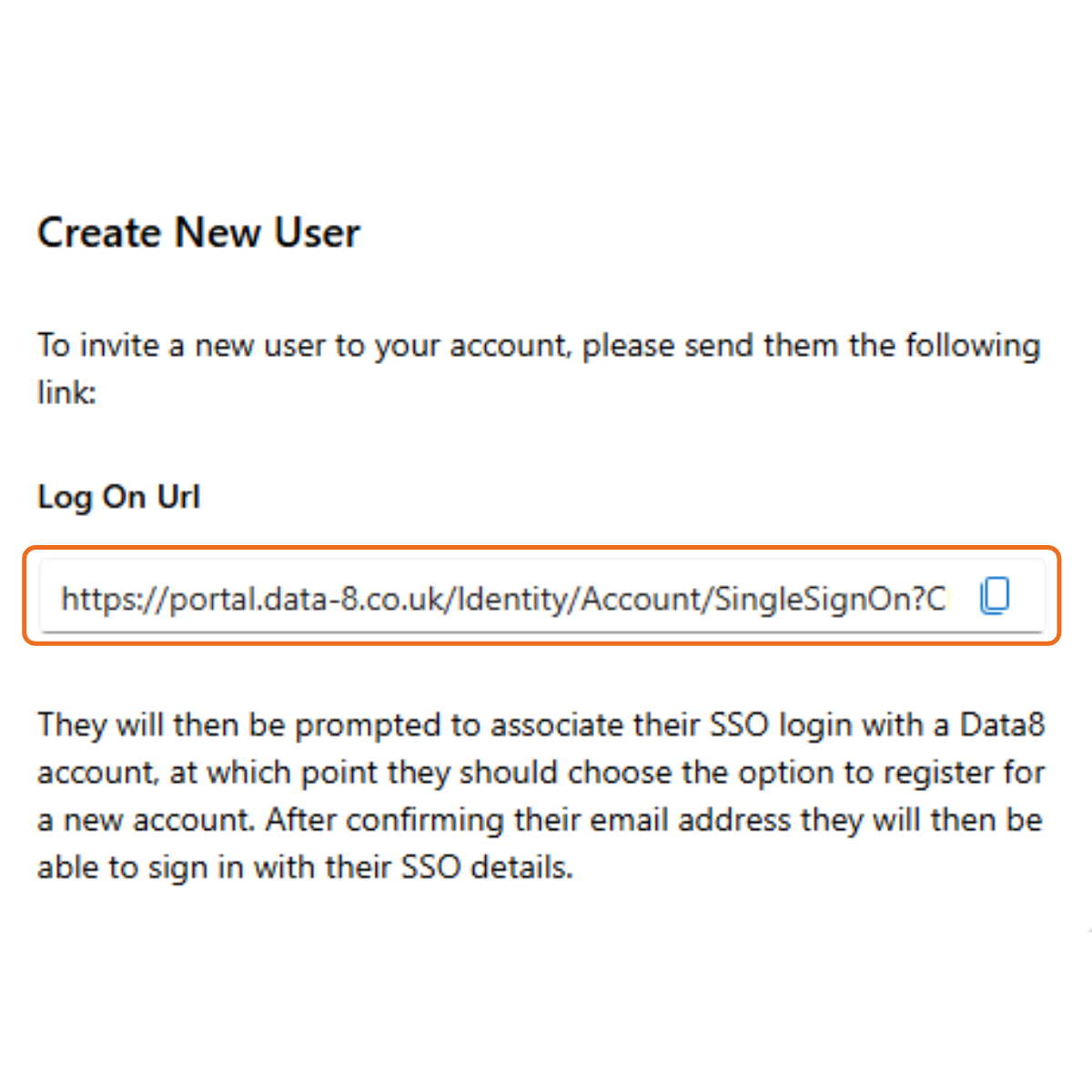
The User Management screen also displays the Create New User widget. 

To invite a new user to your account, simply send them your unique Log On Url which will prompt them to register a new account using their SSO details. 

Deactivating a User

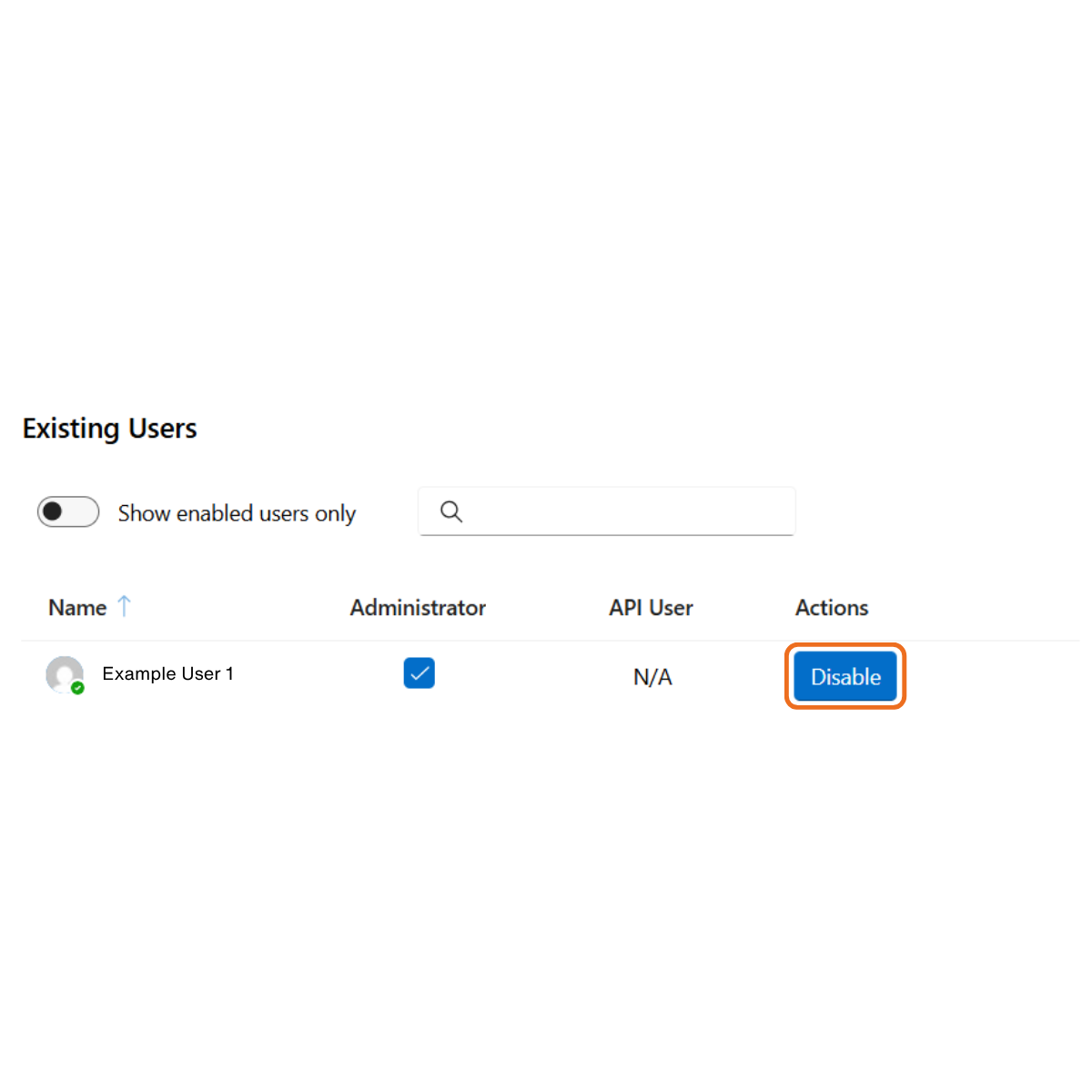
To deactivate a user, click the Disable button next to their name (underneath the Actions header) in the Existing Users widget.

Assigning Administrative Rights

To assign administrative rights to a user, check the checkbox next to their name (underneath the Administrator header) in the Existing Users widget.

Join the Conversation

Receive the latest news, views and hot topics directly in your inbox! Sign up below

Follow us on social media

Data8
Privacy Overview

This website uses cookies so that we can provide you with the best user experience possible. Cookie information is stored in your browser and performs functions such as recognising you when you return to our website and helping our team to understand which sections of the website you find most interesting and useful.