
Data8 Shopify App for Data Validation

Data8 validation is now a native Shopify extension. Drop it straight into checkout, and every address, phone number and email gets checked before the order ever ships. 

Deliver Every Order with Confidence

The Data8 Shopify app brings powerful data validation to your Shopify checkout. Supporting data quality across PredictiveAddress™, email and phone validation, the app integrates seamlessly with your Shopify Checkout.

01

Validate and verify customer-entered data in real time, eliminating customer error at point-of-entry.

02

Increase checkout speed with real-time suggestions, reducing abandoned carts.

03

Improve order accuracy and deliver a smoother experience for every customer.

04

Customise your checkout validation experience and enable only the services your store needs.

Flexible Features, Everything You Need to Go Live

Shopify Data Validation Features

Flexible Extension Blocks

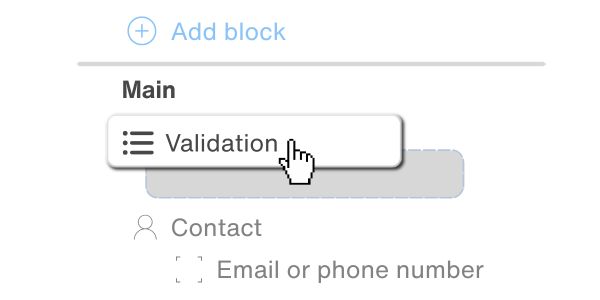
Take control of your checkout with easy drag-and-drop validation blocks. Place them where you need them and prevent invalid details from causing errors, failed deliveries, and lost orders.
Easy to Install

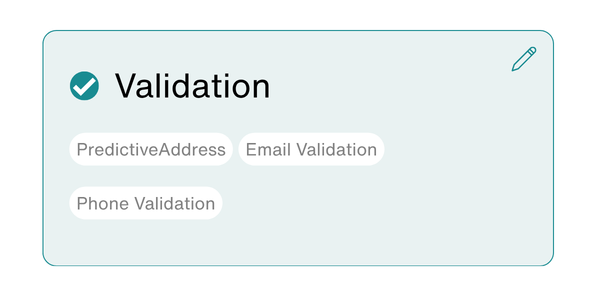
No code required, easily integrate the validation options you need for a seamless Shopify checkout experience.
Smart Location Accuracy

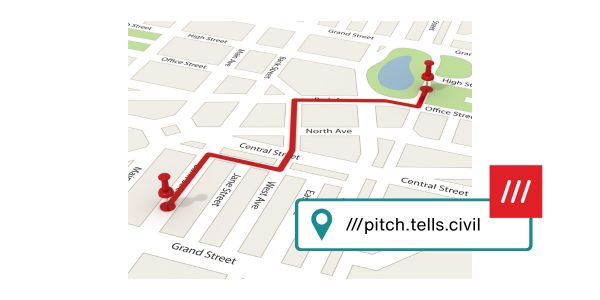
PredictiveAddress™ integrates with what3words to match precise 3m x 3m locations with nearby addresses, improving address accuracy and helping businesses deliver to the right place every time.
Shopify data validation credits

Easy Pay-as-you-go Credits

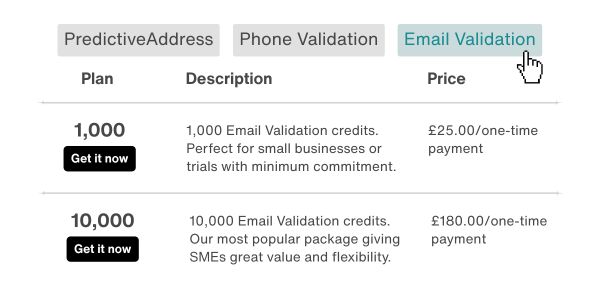
Purchase validation credits straight through Shopify store with different options available to suit the size of your company.
How it Works - No Code Required

Link your Shopify account to Data8 and manage data quality from the same place you already run your store. 

Shopify Data Validation Features 3

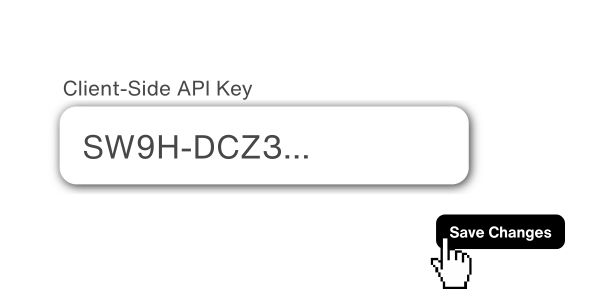
Connect Your API Key

Paste in your Data8 API key and we check it's valid on our end the moment you enter it - no separate confirmation step.
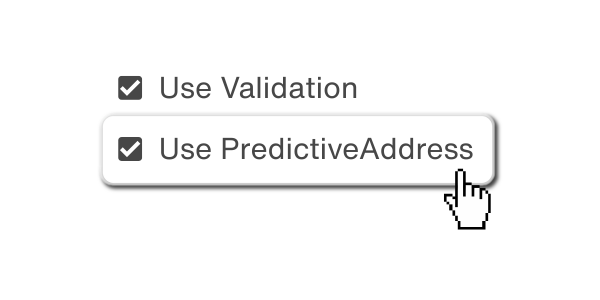
Choose Your Services

Turn on validation and PredictiveAddress individually. Only pay for what your checkout actually uses.
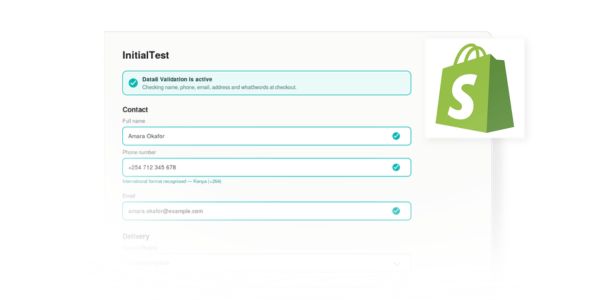
Place it in Checkout

Add the block in Shopify's checkout editor and drag it wherever it works best.

Three Solutions. Switch on whichever your checkout needs.

Each service is enabled independently, so data quality checks only run against the data sources that are actually relevant to your store.

Phone Validation

Checks numbers are real and correctly formatted, including full international phone validation for customers ordering from outside the UK.

Email Validation

Confirms deliverability at checkout, so order confirmations and shipping updates don't bounce.

PredictiveAddress

Type-ahead address lookup that also returns UPRN and UDPRN references, giving every order a precise, uniquely identifiable delivery point.

Install in one click from the Shopify App Store

Why Shopify Customers Choose Data8

Built as a Shopify plugin,  so it sits naturally alongside your other data integrations.

Not only does this service help us maximise our advertising budget by ensuring we get good quality, contactable data, the customer service is fantastic!
Mary P
Data8 have been pivotal in ensuring that we got our predictive postcode system back up and running in record time with an easy to integrate system that dropped straight in to our existing setup. Paired with their sublime customer service and ongoing support through our account manager, Alice, it was an easy choice to make and has been an absolute pleasure.
Mark Aston
The validation tools help reduce mistakes in addresses, emails and phone numbers, which saves time and improves communication with customers. Data8 also offers good pricing, and their account managers are very proactive.
Dmitriy S

Shopify Extension FAQs

After your API key has been validated, you can choose which services you want to use across email validation, phone validation and predictive address. You can update these selections later if needed.

You can download the app here from the online store, no code or complex steps required. 

For existing customers, you can find your API key for Shopify in the Data8 portal. Copy this, then head into the Shopify Store. Select Data8 Validation > Settings and paste your API key in.   

We will then check to confirm you have a valid API key.

Credits can be purchased from Data8’s online portal or directly within the Shopify app, which are then used to access data validation services that are relevant to your store. 

Google’s service is primarily designed to validate and standardise postal addresses. Data8’s Shopify extension for data validation can provide additional capabilities such as:

  • AI-powered address autocomplete
  • Email validation
  • Phone validation
  • what3words integration
  • International data validation and enrichment
  • Configurable validation rules tailored to business needs

GET STARTED

Start Collecting Accurate Checkout Data

Install the Data8 checkout validation application from the Shopify Store to start collecting accurate data from the very first order.

Join the Conversation

Receive the latest news, views and hot topics directly in your inbox! Sign up below

Follow us on social media

Data8
Privacy Overview

This website uses cookies so that we can provide you with the best user experience possible. Cookie information is stored in your browser and performs functions such as recognising you when you return to our website and helping our team to understand which sections of the website you find most interesting and useful.