
Preparing AI-Ready Data in Salesforce
Salesforce AI works from whatever data is in your CRM, even bad data. Data8 checks, corrects and standardises your information inside Salesforce, so your AI system used accurate data your team can rely on.
Why Salesforce data quality decides AI accuracy
Einstein, Agentforce and your own flows and reports all read the same fields your reps, marketers and service teams fill in. These are the problems we see most often.
Reps chase leads they can never reach
Dead emails and unreachable numbers make AI-ranked lead lists look stronger than they are, and waste the first calls of the week.
Campaigns go to the wrong inbox
Personalised sends built on mistyped addresses bounce, which costs deliverability for every message that follows.
Service teams see half a customer
Missing postcodes and partial addresses leave AI summaries with gaps the agent has to fill in by hand.
Reports disagree with each other
When one town, country or phone format is written five ways, segments split and dashboards stop adding up.
What Happens When Einstein Reads Bad Data?
When asking Salesforce AI the same thing twice. The only difference is the quality of the records underneath.
Brindle Packaging looks like a cold account.
- No open opportunities
- Last activity: 14 months ago
- Suggested contact: Sam Patel, sam.patel@brindlepack.co.uk
Confident. Fluent. Wrong.
What Salesforce AI actually read
-
Brindle Packaging0 opportunities · last activity 14 months agoDuplicate
-
Brindle Packaging Ltd1 open opportunity · meeting 6 days agoDuplicate
-
Sam PatelEmail bounced · phone has 9 digitsInvalid
-
Billing addressNo postcodeIncomplete
Brindle Packaging is an active account.
- 1 open opportunity at proposal stage
- Last meeting: 6 days ago
- Best contact: Priya Shah, Head of Operations, verified email and mobile
Right account. Right person. Right next step.
What Salesforce AI actually read
-
Brindle Packaging LtdOne record · full activity history · one name formatConsistent
-
Priya ShahEmail and phone validated at captureValid
-
Billing addressFull postal address, standardised at entryComplete
Illustrative comparison of the answer a Salesforce AI assistant gives to "Summarise where we are with Brindle Packaging and who I should contact" using duplicated, unvalidated CRM data versus validated, standardised data. With bad data, the assistant reports a cold account and suggests a contact whose email bounced. With clean data, it reports an active account and recommends a verified contact.
How to Prepare Your Salesforce Data for AI
Data8 provides a suite of data quality solutions that run inside Salesforce, so your AI can rely on accurate and correct data.
- ASSESS
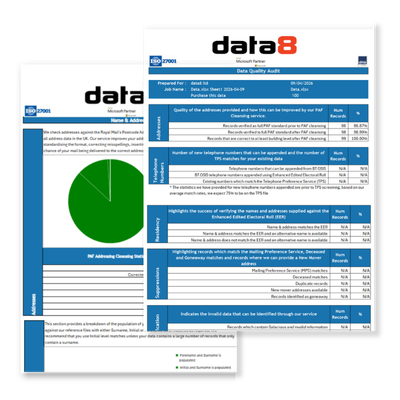
Start With a Free Data Quality Audit
Find out how bad the data is before you spend anything fixing it. Data8 reviews a sample of your Salesforce records before any clean-up starts, so you can see whether invalid contact details, partial addresses or inconsistent values are your biggest problem.
- CLEANSE
Validate and Correct Existing Records with Batch Data Cleansing
Batch validation checks email structure and whether addresses are live, verifies whether phone numbers are callable and identifies their type, screens numbers against the TPS and CTPS registers, and cleanses addresses against industry-leading data sources.
- STANDARDISE
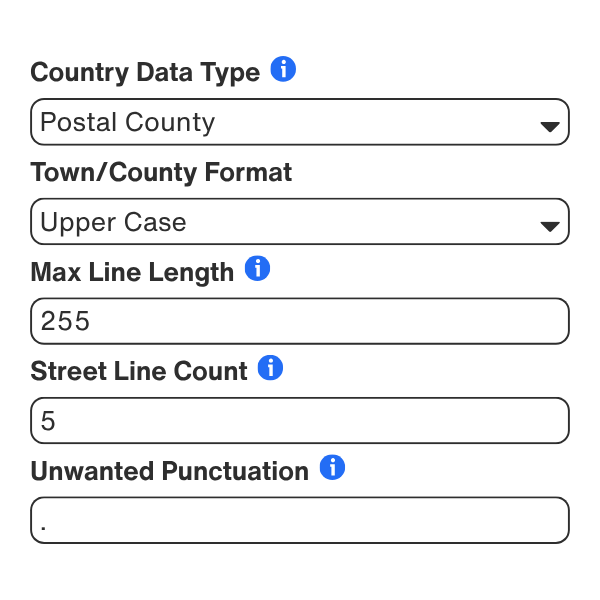
Standardise Values and Fill In Company Details
For company records you cannot trust, Business Insights retrieves a complete UK company profile by name or number, including full address, registered company details, group structure, SIC code, turnover and number of employees.
- PROTECT
Stop Bad Data Before It Enters Salesforce
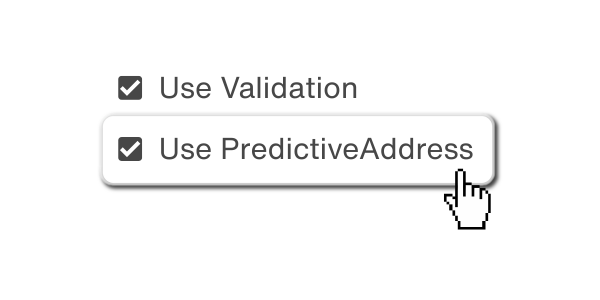
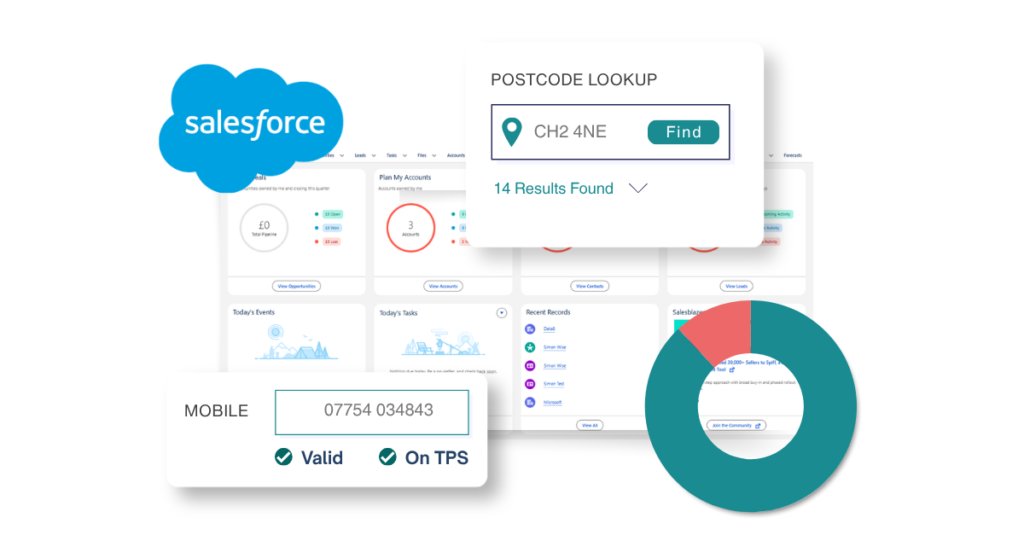
Cover the inputs that matter with real-time validation on record pages, forms and flows, so only valid, standardised data enters your CRM. Covering validation for addres, email and phone, Name, Bank details, TPS and CTPS.
Setup is point-and-click, works with standard and custom fields, and supports Salesforce Classic and Lightning through drag-and-drop components, form overrides or scheduled batch jobs.
Get Your Salesforce Data Ready for AI
Install the Data8 plugin from Salesforce AppExchange, or talk to a Data8 data quality expert about where to start.
Frequently Asked Questions
What does AI-ready data mean in Salesforce?
It means CRM records that are valid, complete, consistent, unique and current enough for AI to act on without a person checking first. Salesforce AI then works from one reliable version of each customer rather than conflicting or outdated entries.
Where should I start with getting my Salesforce data AI-ready?
Start with a baseline. Data8’s free data quality audit reviews a sample of your records, which shows whether invalid contact details, partial addresses or inconsistent values are the biggest issue.
What Salesforce data quality checks can Data8 perform?
Address validation, email validation, phone validation, bank account validation, TPS and CTPS screening, name validation and UK company insights. You switch on the checks that match the problems in your org.
How do I stop bad data entering Salesforce in the first place?
Validate at the point of capture. Address autocomplete, email, phone, name and bank checks run in real time on record pages, forms and flows, so only valid, standardised data is saved.
Do I need a developer to set this up?
No. Setup is point-and-click and works with both standard and custom fields. It supports Salesforce Classic and Lightning, using drag-and-drop components, form overrides or scheduled batch jobs.
How does this fit into a wider AI-readiness plan?
Validation and standardisation cover the contact data part. For the full picture, including how to judge whether data is ready for a particular AI use case, read our AI-ready data guide.