
- 2 min read
- July 2026
Duplicare: Explore the Latest Features & Enhancements
Matt Beard
We understand your data quality requirements don’t stand still – and neither does Duplicare.
Our latest updates and improvements have been exclusively designed to help you manage duplicate data more efficiently, reduce manual administration and give you greater control. Here’s what’s new.
The Merge+ Rules Agents
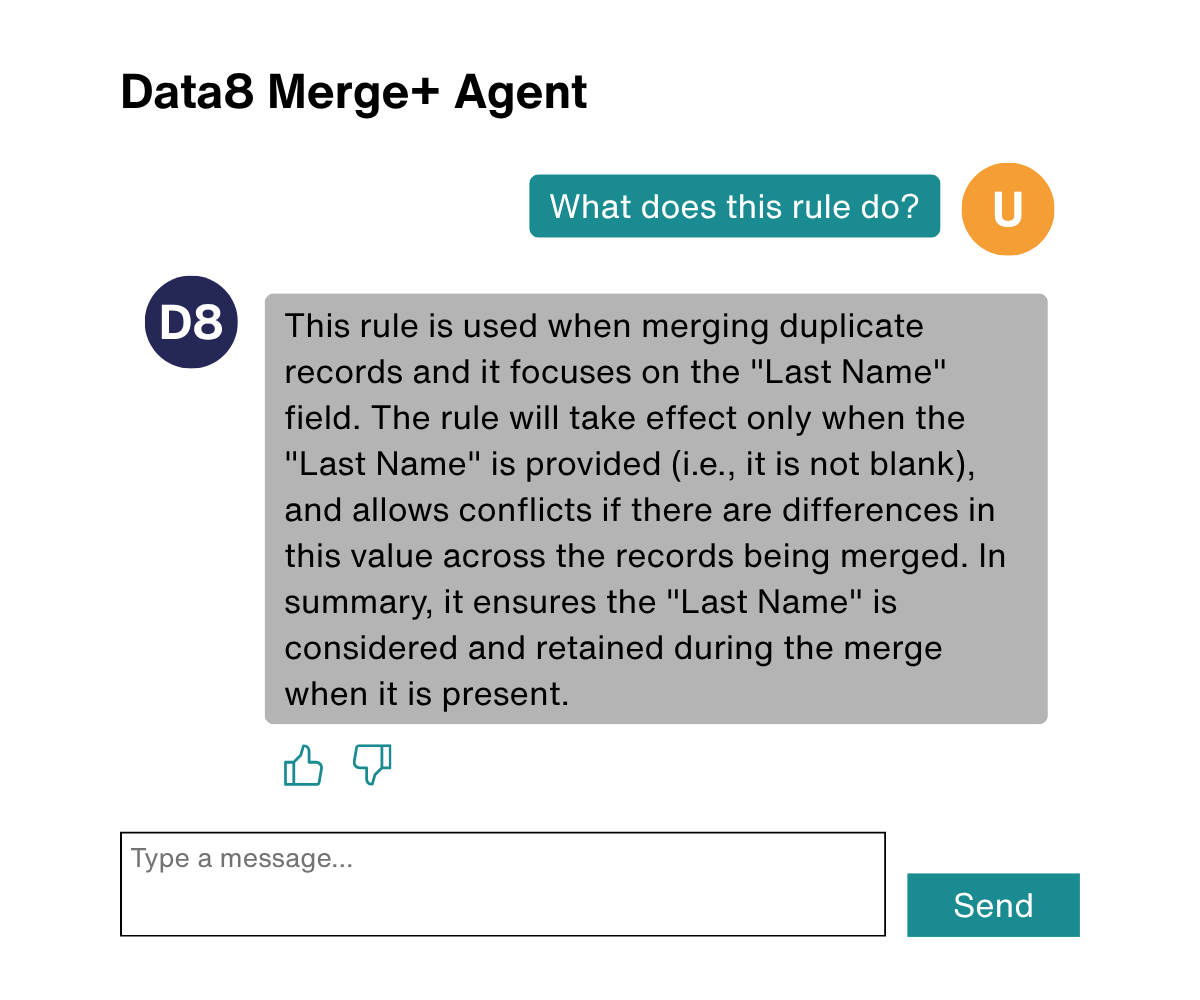
The Merge+ Agent can help you build complex field rules to match your specific business needs.
This agent can be found under the Field Merge Rules tab within any of your Merge+ Rules.
The Master Sort Agent can help you set up your Master Selection Rule, which decides which record will be selected as the master record when performing a merge.
This agent can be found under the General tab within any of your Merge+ Rules.
Ask the agents to explain what a rule does and/or make changes with natural language – no SQL training required.
Viewing Your Global Search Results
You can now change the order of your global search results by columns, giving you the option to look through fields in either ascending or descending order.
This makes it easier to compare your results and find the record you’re looking for.
Managing The Merge Button
As the ribbon management system changes over the years – including the introduction of modern commanding alongside the older ribbon editing process – we have introduced a new way of managing ribbon buttons to improve visibility and better adhere to ALM techniques.
The Duplicare merge button disappearing was once our most requested support ticket, which is why we have created the Ribbon Management tab to give you the ability to fix this issue within your own environment. Showing the status of both the Duplicare and Out-of-the-Box merge buttons, the Ribbon Management tab allows admins to ‘Restore’ or ‘Remove’ either one.
The Ribbon Management tab can be found within any of your Merge+ Rules.


Cross Name Match with Ease
It is now even easier to include cross name matching when adding fuzzy matching for person names to your Dedupe+ Rules. The newly added ‘Allow swapped forename/surname’ toggle option can be easily switched on/off within the Fuzzy Person Name Options pop-up.
Including cross name matching in a fuzzy person name matching rule allows first names and last names to be swapped when identifying duplicates. For example, ‘Elton John’ and ‘John Elton’ would be seen as a match and identified as possible duplicates.
The Allow swapped forename/surname toggle can be found in the Fuzzy person name options pop-up when building or editing a Dedupe+ Rule.
Stay in the Loop
For the full list of changes and refinements made to, check out the Duplicare Release Notes page which summarises the major updates of each release.
Try Duplicare for Free
Explore our award-winning native deduplication solution for Microsoft Dynamics 365, built to identify, prevent and resolve duplicates with speed and accuracy.